
Does a Dashcam Reduce Insurance?

Dashcams are becoming more popular by the day. Some have them to capture their journeys, and others use them for peace of mind on the road. Regardless of the reason for having them, the burning question is whether having a dashcam can reduce your insurance. In short, yes and no.

Malawian roads are notorious. From reckless driving and road accidents to theft and security risks, having the right tools to protect yourself and your vehicle is a must.

Many small bumper bashes aren’t reported, and this is because it’s just not worth the hassle and the whole he-said-she-said argument that ends up happening. How many times have you driven behind a car where their brake lights weren’t working, praying that they wouldn’t stop abruptly?

These reasons are exactly why many people and businesses are choosing to get dashcams and other AI-powered cameras in their vehicles. At Cartrack, globally to date, we’ve installed a total of 208,444 cameras!

Does having a dashcam reduce insurance?

Unfortunately in Malawi, having a dashcam DOES NOT automatically reduce your insurance premiums. Some insurance providers may lower your premiums, but this isn’t the standard across most of them. Now this may be disappointing to many, but just because it doesn’t currently reduce premiums, this doesn’t mean it never will.

Dashcams are still incredibly useful, especially in Malawi, where our road conditions can quite literally give you whiplash. 

How does a dashcam actually help with insurance?

So, if a dashcam doesn’t automatically reduce my insurance premium, how does it help? Well, evidence, that’s how. Dashcams provide indisputable evidence that you can give to your insurance to help with many in-vehicle claims you might have.

Let’s take a deeper look at what it can help with. 

Accidents

When you have a dashcam, you can actually prove that the person you rear-ended didn’t have working brakes before you hit them. Depending on the type of dashcam you have, you can also have proof of a hit-and-run or proof that you hit a pothole and it damaged your suspension.

Theft

In Malawi, theft and opportunistic crime can occur when vehicles are parked or stopped, making it important for drivers to stay vigilant and keep valuables out of sight.

Fraud

Many people try to commit fraud and cause accidents on purpose. Having a dashcam installed in your vehicle can protect you from any false claims and remove the he-said-she-said scenarios to give you peace of mind in these situations.
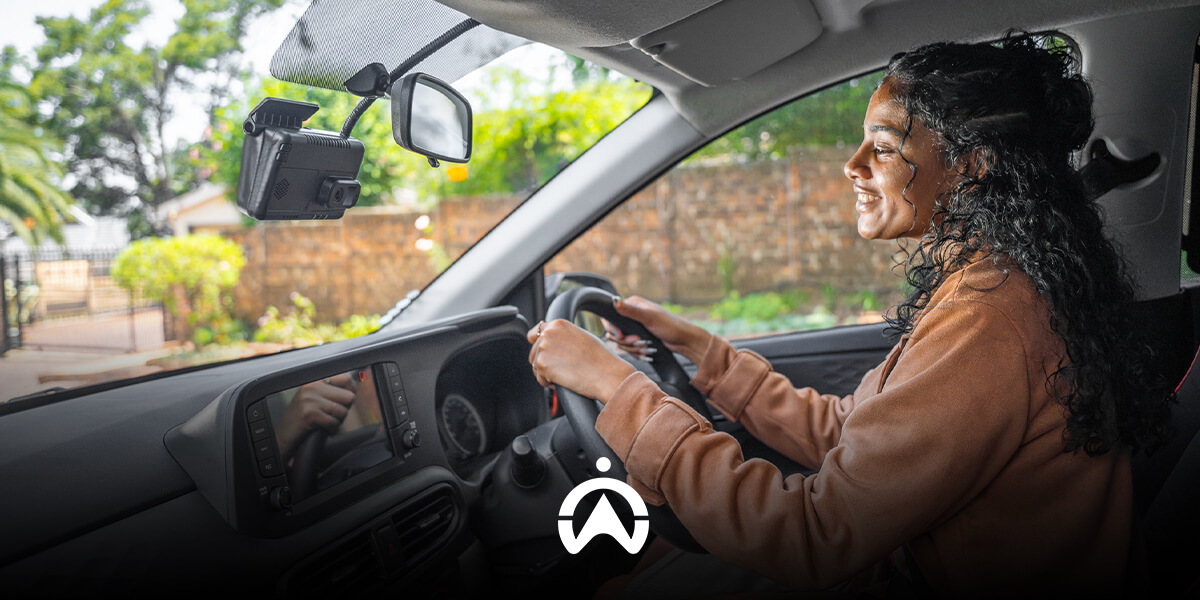
Driver using a dashboard camera and GPS device, illustrating how a dashcam can reduce insurance through safer driving and vehicle monitoring

What are the laws surrounding dashcams?

With the Data Protection Act, 2024, some people are uncertain around the laws of having a dashcam in Malawi. The Data Protection Act, 2024 is a law that’s in place to protect the personal data and privacy of individuals in Malawi and regulate how organisations process personal information.

Now, does a dashcam infringe on this act? Yes, but only if you’re not using it responsibly. If you have passengers in your vehicle and you have a dashcam that records in the cabin, it’s best to let them know. If you’re in an altercation on the road, you should let the other person know that you have a dashcam recording.

If you’re a fleet owner and you install cameras in your vehicles, you need to let your drivers know and acknowledge that they’ll be recorded for security reasons.

Let’s say you see someone driving recklessly on the road, and your dashcam records this. DO NOT post it on social media. This is in direct violation of the DPA. Any footage that helps with an accident or other incident on the road should ONLY be given to the police and your insurance.

Are there specific dashcams that are preferred by insurance companies?

No, there aren’t any specific dashcams preferred by insurance companies because they’re not a requirement. However, just because there isn’t a specific one they like, this doesn’t mean that you should just get any dashcam off the first site you click on in your Google search.

We know that dashcams can help speed up claims and prove your innocence. But if your dashcam isn’t capturing the footage clearly enough or doesn’t have certain features, it can end up being pointless to even have.

Important features to look for in a dashcam are:

  • A dual camera that records the road and inside the cabin
  • High-quality video footage
  • Night vision
  • Cloud-based storage
  • Wide-lens angles
  • Time & date stamps
  • Event detection (accident, distracted driving, etc.)

What proof is needed from a dashcam for an insurance claim?

If you’re in a situation on the road and you need to claim from your insurance provider, your dashcam can help. But this isn’t without conditions. You need to provide the original, unedited footage to your insurance provider. The footage should ideally have the time and date on it as well as the audio.

Why is dashcam audio important? Audio helps to provide context. Was anyone hooting, could you hear tyres screeching on the road?

Another thing that can help your claim is telematics connected to your camera. Advanced telematics show your speed and exact location. When you have a dual camera, you can prove that you weren’t distracted on the road as well.

All of this information tells the complete story to your insurance provider (at least from your side) and can help speed up a complex claim and prove your innocence.

Why do you need dashcams in your fleet?

For the everyday driver, dashcams are a nice to have. But, for businesses with vehicles on the road, dashcams are a must. Your fleets are on Malawian roads at all hours of the day and in various areas; a dashcam can protect your business in multiple ways.

However, it’s important for us to state that businesses CANNOT have a basic dashcam that just plugs into the car lighter port and think they’re covered. As a business, you need an advanced AI-powered camera system that’s connected to a GPS telematics device. 

AI-powered cameras that record both in and out of the vehicle are necessary because they monitor the road and also how your drivers are behaving in the vehicle. If your driver is dozing off or on their phone while driving, an AI-powered camera will immediately alert the driver to correct their behaviour. And as a fleet manager you’ll be alerted as well.

A camera that’s designed for fleets will:

  • Improve your driver’s safety
  • Increase driver accountability
  • Assist with fleet management
  • Assist with driver training
  • Deter theft
  • Save costs

Dashcams for fleets and insurance

Now a dashcam may not automatically reduce insurance premiums for the everyday commuter, but for operations that have a lot of high-risk vehicles on the roads, you do have a greater chance of having your premiums reduced. This is because you have more than one vehicle insured by your provider; your vehicles are more expensive and your cameras are more advanced.

Let’s take a look at a possible scenario. Your driver David has been in an accident with your 16-wheeler. He drove off the road, and the truck rolled, writing it off and damaging the stock it was carrying. On top of that, David is now injured. As a fleet manager you now have a million things to handle, including claiming from your insurance provider.

This situation can go a few ways.

Scenario 1

Let’s say you don’t have a dashcam and telematics in your truck. Now it’s a back and forth with your insurance provider, and you can’t prove that David swerved off the road to avoid hitting a cow on the rural road he was travelling. Because let’s be honest, that sounds a little far-fetched.

Scenario 2

You have a plug-and-play dashcam that you found at a random online shop installed in your truck. When you try to get the footage to send to your insurance company, the footage is damaged, and you can’t use it to prove your driver’s claim.

Scenario 3

You have a Cartrack AI-powered dual vision camera and telematics device installed in your truck. You can pull the high-quality footage clearly showing the cow running into the road and that your driver wasn’t distracted while driving as well.

The telematics device allows you to show your driver’s route and his driving behaviour before the accident happened. All of the data you get can be provided to your insurance provider, showing that David is a good driver and that this was an unavoidable accident. Your claim is now quickly approved, and you and David can rest easy.
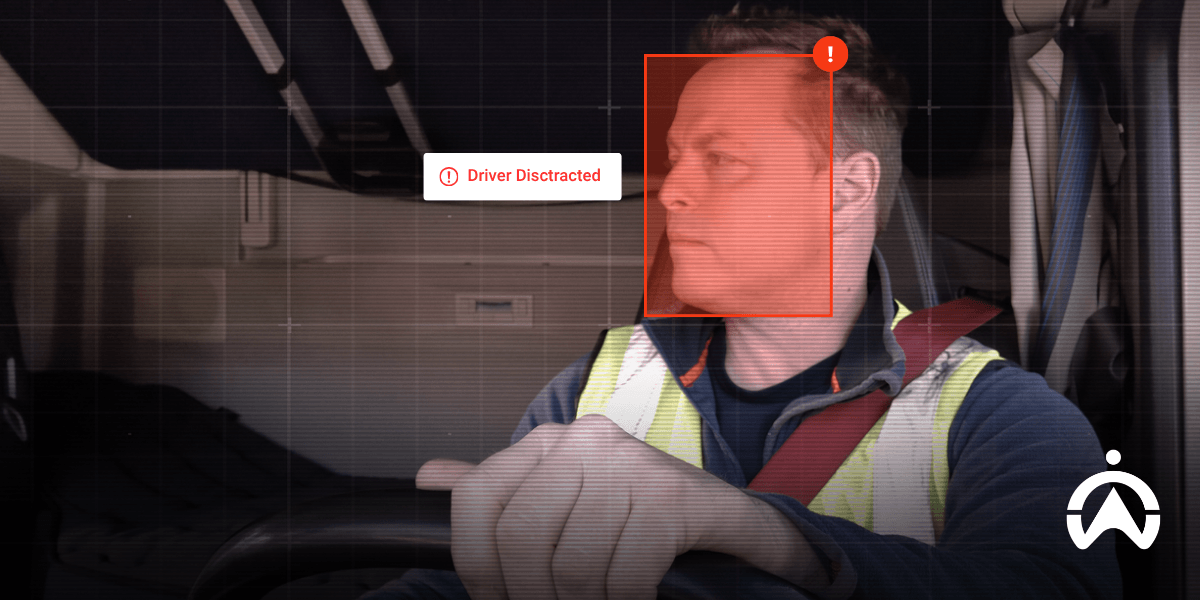
Truck driver detected by in-cab alert system, showing how a dashcam can reduce insurance through improved driver monitoring and safety

Camera options from Cartrack Malawi

At Cartrack Malawi we have 5 camera options to choose from for both fleet owners and everyday commuters. These cameras are:

  1. Road Vision
  2. Dual Vision
  3. MultiVision
  4. AI Dash Pro, and
  5. AI Multivision.

All five of these can help you with your insurance claims. Let’s take a quick look at their features so you can pick the right one for your unique needs!

Road Vision

Single road-facing camera, perfect to provide simple evidence in an accident.

Dual Vision

This records both inside the cabin and on the road. Perfect for capturing incidents on the road and to see driver & passenger behaviour.

MultiVision

You can get up to 4 cameras to capture in-cabin, on-the-road, external and internal-facing views. This is best for fleets who want visibility of their vehicles and their cargo as well as minimising the chances of blindspot accidents.

AI Dash Pro

With this camera system, you get a dual camera system that you can add extra views to, and it’s equipped with AI capabilities. This camera system allows you to monitor driver behaviour and alerts your drivers in real time as well!

AI Multivision

This is up to 8 cameras, and it’s designed for fleets. You’ll have complete visibility and will give your insurance everything they need in the event of a serious accident.

If you found this blog insightful and want tips on how to save on car insurance, check out this blog.

FAQs

What are common mistakes to avoid when using a dashcam?

There are a few common mistakes that you should avoid when using a dashcam. The most common one is mounting your camera incorrectly; you don’t want your dashcam blocking your view or not capturing the road properly. Other mistakes are not checking if your camera is on & recording, posting footage on social media, and not keeping its software up-to-date.

Can a dashcam drain my car battery?

If you have a professionally installed, top-of-the-range dashcam installed, it should NOT drain your car’s battery. Many dashcams will record for a few minutes after a car has been switched off, but it shouldn’t drain your battery to the point where you can’t start your car.

How long does 128GB take to eat up for a dashcam?

This depends on the resolution your dashcam records in. They usually record in a loop, so they’ll record over footage once they’re full. On a 128GB memory card, if you’re recording in 1080p, you can get up to 24 hours; in 2K, you’ll get up to 16 hours, and in 4K, you can get up to 8 hours of footage.
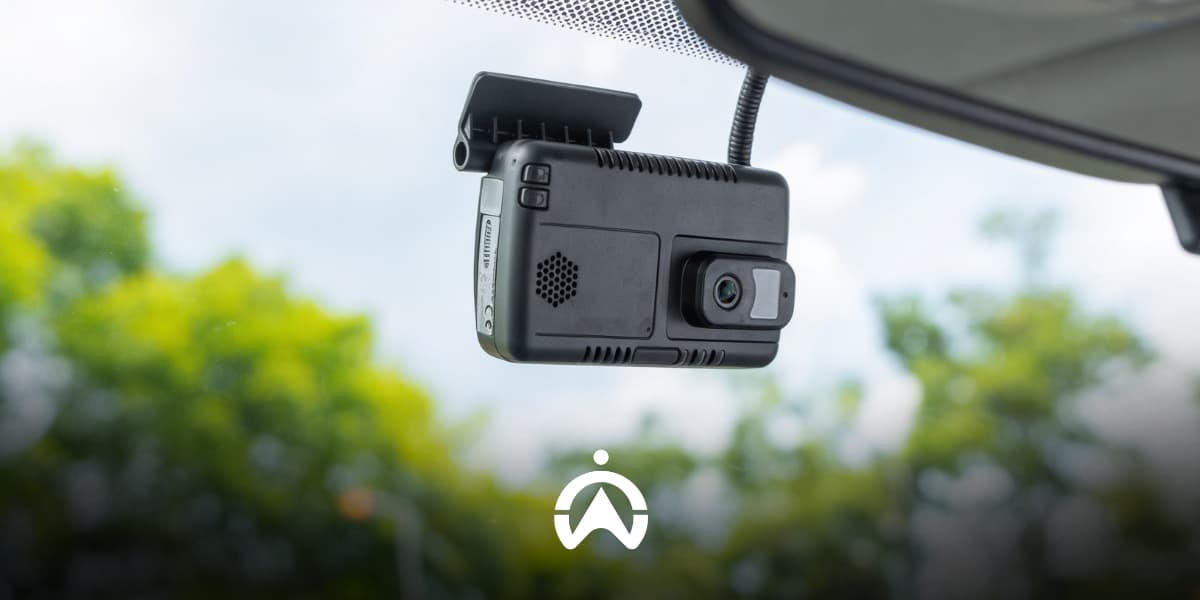
Wireless vs Wired Dashcams: Which One Should You Choose?

When it comes to wireless vs wired dashcams, the one you should choose totally depends on what you expect from your camera safety solution. If you want something straightforward that’s without too many bells and whistles, a wireless option might work. But if you’re looking for higher quality and telematics features, then the wired choice is definitely it.

Wireless dashcam setups are still dominating the global market, making up a whopping 60% of global sales. Many everyday motorists are continuing to be attracted to the easy, DIY, and quick configurations, although some are becoming attuned to more durable, premium options.

On the other hand, hardwired cameras for fleet systems are flourishing at a 10.7% annual growth rate. Fleet managers have long ditched the wireless options and recognise the safety of high-end, insight-driven hardwired choices.

Let Cartrack make the decision easy for you. Keep reading to find out more about each camera category and what we have available!

Which is the best option: a wireless or a wired dashcam?

Generally speaking, whether a wireless or wired dashcam is better actually depends on what you’re looking for and the role your dashcam will play. But it’s also widely known that wired dashcams are the better choice. They offer far more features and benefits, like high-quality recordings, better battery life, and telematics capabilities.

Let’s look more at each dashcam category:

What are wired and wireless dashcams?

Wired and wireless dashcams are dashcams that have the same core function—mounted in-car recording devices—but are connected differently. As their categories suggest, one is hardwired to the car battery, and the other is connected a bit differently.

But no dashcam is 100% wireless in its connection.

Wired devices are typically connected to the vehicle’s battery, giving them uninterrupted power. On the other hand, it’s rare that wireless devices have no cord at all; they’re usually connected via the 12V (cigarette lighter) socket. ‘Wireless’ is more in reference to how the video data is transferred, like using Wi-Fi or Bluetooth.

Some wireless hardware designs, especially if battery-powered, will allow you to use them without the wires connected, although they’ll only last for a few hours before needing to be recharged.

What does installation look like?

  • ‍🔌 Wired dashcams are usually (and should preferably be) installed professionally. The dashcam will be mounted according to the best non-obstructive position(s) and connected directly to the vehicle’s electrical system or fuse box. The wires and cables are carefully tucked behind the windscreen frame and other structural seals.
    ‍
  • ‍🛜 Wireless dashcams are typically mounted according to the best non-obstructive position(s) and are suctioned or clipped in place. The dashcam is either connected to the car’s 12V socket or runs on a battery. Most wireless cams need an accompanying app, so you’ll need to download that. Pair the devices and begin recording.

How do each of their systems work?

  • ‍🔌 Wired dashcams are powered by the vehicle itself. They’re incredibly strong in their design, usually maintaining integrity during harsh weather conditions and collisions. Recordings are saved on SD cards and looped when necessary, with some designs accommodating bystander or parking mode. Wired cams typically integrate elements like telematics and GPS tracking too.
    ‍
  • ‍🛜 Wireless dashcams are powered by a 12V socket. It connects via Wi-Fi or Bluetooth, which then communicates with your phone (and the connecting app). You can manually view and download footage via the app.
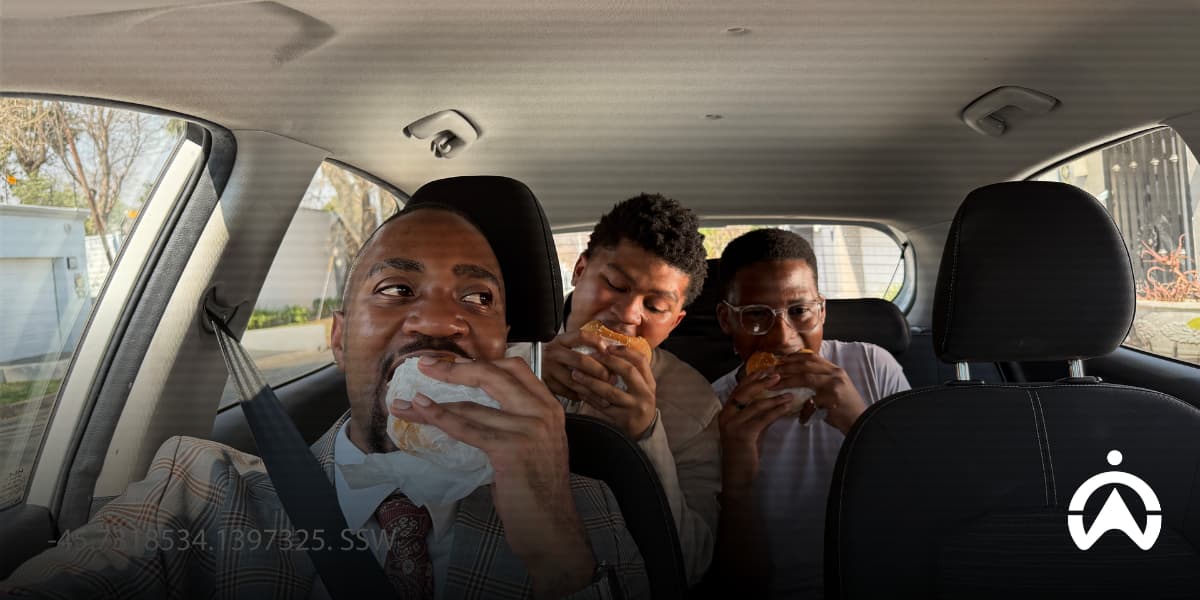
Passengers sitting inside a car with clear cabin visibility, illustrating the difference between wireless vs wired dashcams for in-vehicle monitoring

Is wired more reliable than wireless?

Yes, wired is typically more reliable than wireless. 

There’s an uninterrupted source of power and, without the need for rechargeable energy, there’s far less risk of a fire hazard occurring (due to swelling batteries, etc.). Wired cams are usually cellular-network-equipped, meaning they don’t have to connect to Wi-Fi or Bluetooth, or potentially face signal interference.

Some wired cams also support bystander or parking mode, adding to the security and safety levels. Yes, it’s likely that it’ll cost more than a wireless cam, but the pros heavily outweigh the cons.

If you’re looking for absolute security, long-term reliability, full telematics, and a clean, professional finish to your installation, a wired option is your best bet. 

What are the real-world advantages of each dashcam category?

PICTURE THIS:

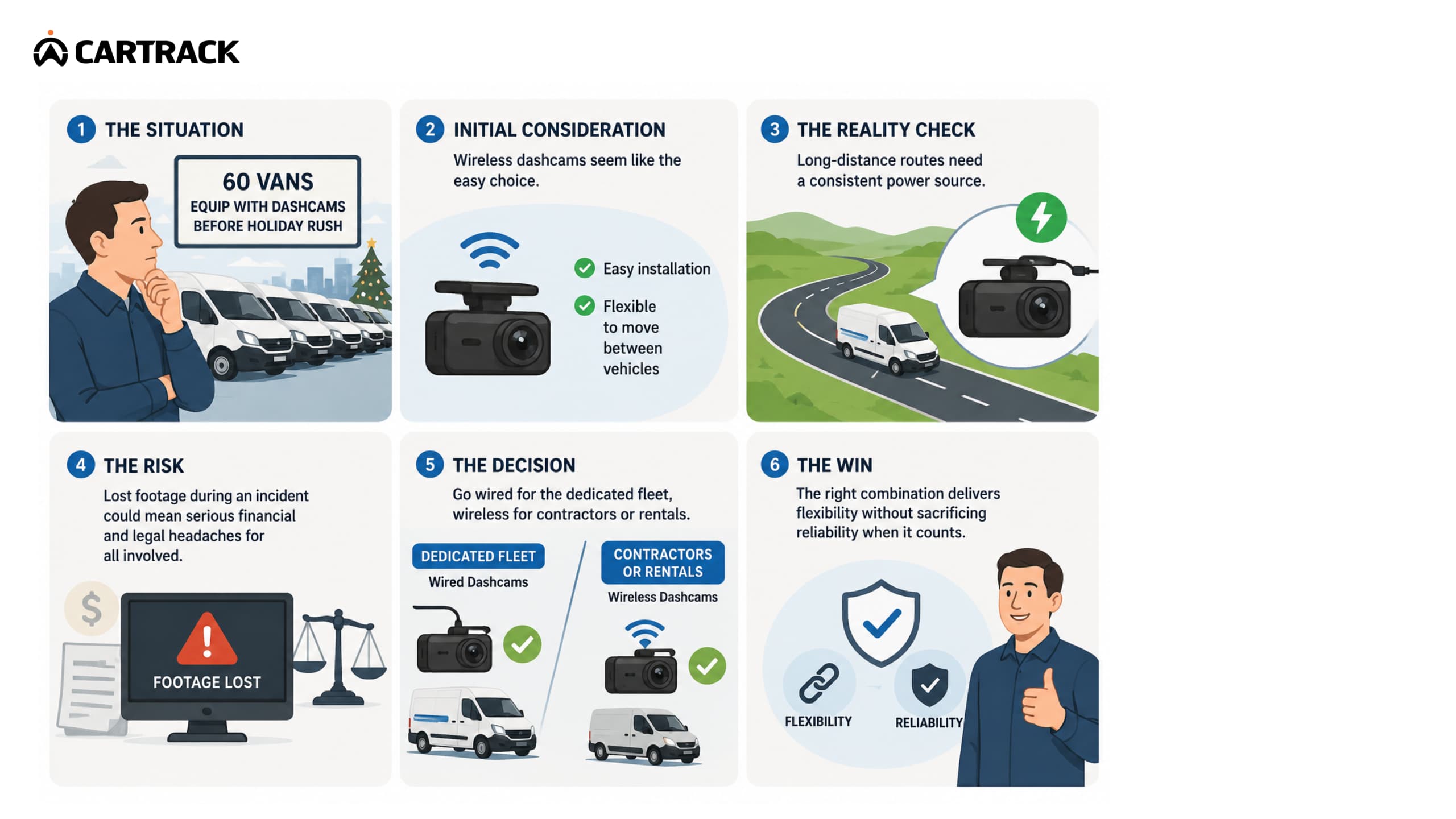
You’re managing a fleet where you need to equip 60 delivery vans with dashcams before the holiday rush. At first, you strongly consider the wireless dashcams for their easy installation and flexibility. But considering the long-distance routes, you recognise that a consistent power source is non-negotiable.

If footage is lost during an incident or accident, this could mean serious financial and legal headaches for all involved. 

Realising this, you decide you’d rather go for the wired dashcams and use them in your dedicated fleet, while reserving the wireless ones for contractors or rentals.

This combo offers the flexibility you’re looking for without sacrificing reliability when it counts.

wired vs wireless dashcams

As you can see, both of these options play a pivotal role depending on the context of your need. While wireless is all about flexibility and ease, wired is strong and massively dependable for businesses.

So what exactly are the benefits of each?

  • Wired:
    • Continuous power source (potentially with parking mode to record while your car is parked or the ignition is off)
    • The ability to record various angles through one setup (multi-camera systems)
    • Improvement in driver performance and safety through keeping drivers accountable. Dashcam footage can also be used to coach drivers if they’re reoffending
    • Maximised durability, which ensures that strong video quality is consistently present
    • Night vision/infrared capabilities, which are especially important for night-shift long-haul drivers and e-hailing fleets
    • High-quality resolution
      ‍
  • Wireless:
    • Installation is simple and DIY-friendly
    • Flexibility & portability are the ideal features—especially if dealing with a rented vehicle or using one device between many family members
    • Clean, clutter-free finish (which links back to simple installation)

Both provide defence against incidents and potential false claims. These dashcams also have the potential to reduce insurance premiums, as many insurers favour everyday drivers and fleet companies who go the extra mile to protect themselves and their vehicles.

What dashcam and camera solutions does Cartrack offer you?

The dashcam and camera solutions that Cartrack offers you are five core solutions: Road Vision, Dual Vision, Multi Vision, AI Dash Pro, and AI Multi Vision. Whether you’ve got a complex fleet or you just want to protect your beloved car, we’ve got the perfect solution for you.

We don’t offer wireless cameras, and all our core options are hardwired, guaranteeing far better quality and additional features to keep you, your family, or your fleet completely protected.

Here’s a breakdown on what YOU can expect: 

Road Vision

Road vision is a single, road-facing camera. Our everyday drivers and small businesses love this option because it’s a simple solution to safety needs, providing accident evidence and helping consumers handle insurance claims more quickly.

This device offers:

  • Telematics features
  • 128 GB of storage (approximately 72 hours)
  • Live streaming & recording capabilities

Dual Vision

Dual Vision is a dual-camera system that’s both road-facing and cabin-facing. This is another winning solution for small businesses and the everyday driver. It works well for accident and insurance claims, adds an extra layer of security, and encourages drivers to behave safely & responsibly on the road.

The in-cabin monitoring keeps drivers on their toes!

Dual offers:

  • Telematics features
  • 256 GB of storage (approximately 194 hours)
  • Live streaming & recording capabilities

Multi Vision

Multi Vision has up to 4 cameras: road, cabin, internal, and external-facing. This solution is an entry into the big leagues, catering to larger-scale businesses like logistics and delivery. Larger fleets tend to require more visibility, especially when cargo is involved. 

There’s greater operational oversight in addition to stronger security, and you and your drivers can keep an eye on the blind spots.

Multi Vision offers:

  • Telematics features
  • Various hardware options for you to choose from (i.e., external side and rear cameras, dashcam dual cameras, dashmount road-facing cameras, etc.)
  • 256 GB of storage (approximately 194 hours)
  • Live streaming & recording capabilities

AI Dash Pro

AI Dash Pro is a dual-camera system that’s both road-facing and cabin-facing. It has an additional 2 camera channels and the option to add an extra camera to places like your fuel tank, cargo area, etc.

Most importantly, it has AI capabilities that help monitor driver behaviour and record events, such as fatigue, distraction, and smoking. 

This is the perfect solution for businesses that have large, complex fleets that prioritise total visibility and safety. The AI event recording also makes it far easier for you to monitor your drivers, allowing you to implement driver coaching when necessary and prevent costly downtime.

The AI Dash Pro offers:

  • Telematics features
  • 512 GB of storage (approximately 100 hours)
  • In-cabin calling
  • AI capabilities to track disruptive driving events
  • Infrared for the cabin-facing camera
  • Live streaming & recording capabilities‍

AI Multi Vision

AI Multi Vision has up to 8 cameras that are road-, cabin-, internal-, and external-facing. This is the ideal solution for large, complex fleets that are carrying high-risk cargo. Basically, if you’re looking for airtight security, complete visibility, and stronger compliance, this is the option for you.

AI Multi Vision offers:

  • Telematics features
  • Numerous hardware options (i.e., external side and rear cameras, dashcam dual cameras, dashmount road-facing cameras, etc.)
  • 1TB (approximately 291 hours) of storage
  • AI capabilities to track disruptive driving events
  • High-quality live streaming & recording capabilities

🆕 NEW ADD-ONS to consider:

The small AI monitor, as previously mentioned under AI Dash Pro.

Final takeaway: Blind spots are bad for business!

Simple and easy might seem like the most attractive choice, but going the extra mile can truly seal in your vehicle security. Do you want the ease of wireless cams that show you the action, but overlook the bigger picture? Or are you looking for effortless, uninterrupted, advanced, and airtight protection that wired cams can bring you?

This is where Cartrack steps in. 

Partner with us to ensure you’re always connected and always protected. With us, and the help of our sophisticated camera solutions, you know you can always account for the truth.

Ditch the messy wires. Forget the dead batteries. Just focus on the real protection. Call us today and get a complete, professionally installed camera solution!

Frequently asked questions about wired and wireless dashcams

Does your insurance go down if you have a dashcam?

Yes, your insurance can go down if you have a dashcam, but it’s not always guaranteed. Insurers are typically in favour of drivers with dashcams because it means they’ve taken the extra step to protect their vehicle (and themselves). This also potentially makes the claims process much easier, thanks to the readily available evidence.

Do you really need a 4K dashcam?

No, you don’t really need a 4K dashcam for basic security, although higher video quality is generally recommended. When you have clearer streaming and recording, your dashcam is likely to pick up on more important details in an incident, like a driver’s number plate or something that occurs in low light. Overall, better detail means greater protection.

How long does 128 GB take to eat up for a dashcam?

It ultimately depends on the dashcam quality, so it can take anywhere between 10 and 24 hours. The 10-hour recording time is what’s typical of a 2K or 1440p resolution recording. Ultimately, the higher the camera quality, the less recording space you’ll have on the SD card.

Should I unplug my dashcam at night?

No, it’s not really necessary for you to unplug your dashcam at night. But you might want to consider unplugging it if:

  • You’re not really driving your car for a while, and it’s stationary in an enclosed environment
  • You feel that having a visible dashboard attracts criminals more than it deters them
  • You’re trying to preserve your car battery

Where to Buy Rugged Fleet Cameras for Delivery Vans?

Rugged fleet cameras for delivery vans can be purchased from providers like Cartrack Malawi. The integrity of these cameras AND their installation ensure stability on bumpy trips. These cameras must work properly if they’re to protect your vans, which is why choosing the right provider is paramount.

According to regional transport indicators and recent national e-commerce reports, recent years saw an estimated 8% upswing in light commercial delivery truck sales compared to previous periods. An increase in last-mile road logistics, cross-border retail consolidation, and new delivery businesses are the primary drivers—proving that Malawian companies are relying heavily on dedicated distribution fleets to keep their customers satisfied.

But with this upswing comes increased risk, which is why delivery van fleets are looking to vehicle cameras to keep their drivers & assets safe.

Can the demands of van logistics be tolerated by vehicle cameras? Only the best ones. Here’s where you can source yours.

What makes a fleet camera “rugged” enough for delivery operations?

The ruggedness of a fleet camera depends on its ability to record and provide high quality road footage despite the constant vibration of a delivery van. It also needs to withstand harsh weather conditions and normal wear & tear (which speaks to its longevity).

Are dashcams suitable for delivery vans?

Many store-bought dashcams are NOT suitable for delivery vans because they’re intended for private motorists. Some of these cameras have invasive wire connections, and others aren’t exactly built for bumpy driving. And because of the high demands of delivery van driving, a specialised provider like Cartrack should be contacted for your delivery van camera needs.

What’s the difference between a store-bought dashcam and a delivery van fleet camera?

The difference between a store-bought dashcam and a delivery fleet camera is that the latter is built for high-demand driving. Bumpy roads, lots of stops, long hauls, and weather conditions all affect the durability of a delivery van camera. That’s why a store-bought dashcam isn’t a wise investment if the purpose is camera longevity.

FEATURE Store-bought dashcam Cartrack Vision How Vision from Cartrack benefits your fleet
Alerts Beeping sounds and/or light flickering Real-time driver coaching Drivers get AI voice warnings in real time
AI capabilities Some have G-sensors Advanced Driver Alert System Keeps drivers safe in real time
Data management SD card that needs regular formatting Saved footage is event-based and uploaded to Cartrack’s system No manual data management and no need for SD card formatting
How it’s connected Wi-Fi 4G or LTE streaming in real time You can see live footage
Warranty Depends. Usually 12 months Lifetime warranty No need to replace your camera hardware
GPS capabilities Yes, on-screen GPS Yes, GPS is synced with your telematics software Your footage has context (location, speed, etc.)
Secure installation? Plug in to your cigarette lighter Hardwired to a DVR box without wires in the way No wires across the dashboard
Support of other cameras Usually 2 cameras can be accommodated Accommodates up to 16 cameras Perfect for large vehicles like trucks and delivery vans
Can it be stolen? Yes, easy to steal Installation is tamper-resistant Lower risk of camera theft

How do delivery van cameras help in the delivery process?

Beyond protecting your driver and van, delivery cameras are often used to resolve delivery disputes FAST. If a customer claims that your van never reached their home or business to carry out a delivery, you can use the delivery van camera footage to clear your driver.

Vehicle cameras for delivery vans are also used to protect cargo. These cameras are attached to door sensors, automatically recording every time the van door is opened to survey who’s handling your goods.

Will having rugged delivery van cameras affect your insurance?

Most insurance companies offer better premiums to fleet companies who install cameras onto their delivery vans. Disputes are resolved quickly when footage is always retrievable of a time-stamped event.

If you look at the price of delivery cameras from Cartrack versus the amount of money you’ll save on your insurance, the difference is often surprising.

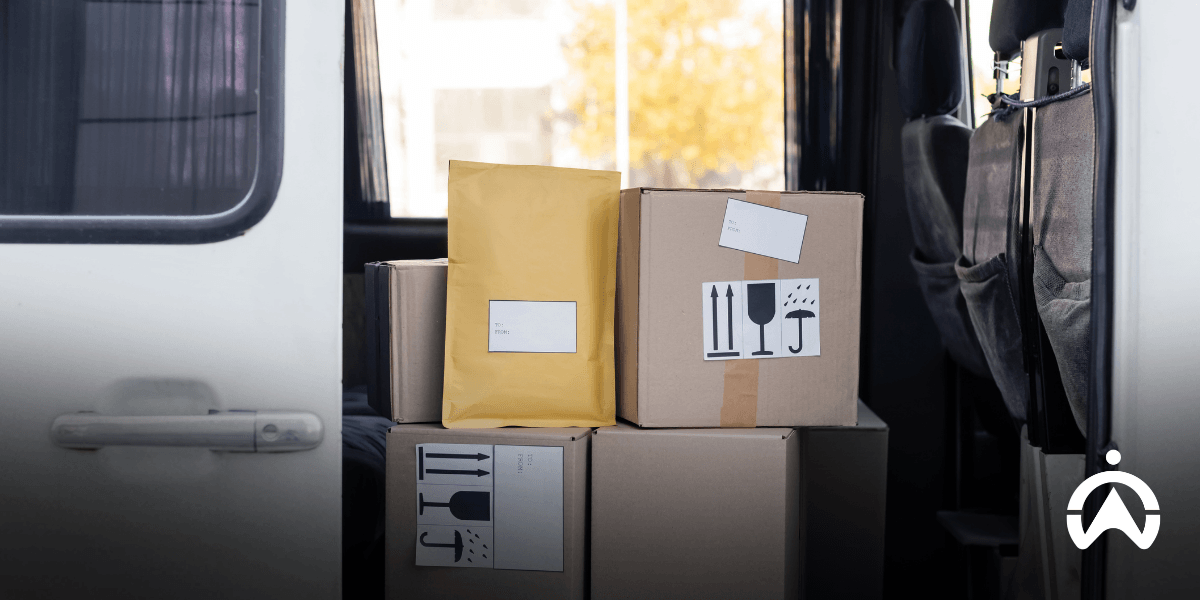
Packages stacked inside a delivery van with open side door, illustrating where to buy rugged fleet cameras for delivery vans and improve cargo security

Why is delivery van logistics so demanding?

Delivery van logistics is especially demanding because it involves driving that’s often “rough” and long. Delivery van drivers make lots of stops each day, and they often find themselves in rural areas where the roads are bumpy. Another fact is the condition of some roads, which call for the ruggedness of components—including the vehicle cameras. 

Potholes and bumpy roads

Many countries struggle with potholes in their roads. Many potholes are hard to see, giving delivery van drivers a sudden jolt when they drive over (or into) them. This happens to everyone, but MORE SO to delivery van drivers who travel long hours during the night & day. These jolts can severely damage your cameras if they’re not built for rugged driving.

Stop-and-go driving

Delivery drivers stop more often than the average driver. This constant stopping and going may sound minor, but it does add more vibration to the components. If your cameras aren’t rugged (or not installed properly), they may start to come loose or get damaged over time.

Weather considerations

Most motorists have the option to keep their vehicles under cover during storms or hot weather. With delivery van fleets… not so much. They have a job to do, and bad weather won’t usually be accepted as an excuse for not delivering on time.

For these and other reasons, delivery van cameras should be rugged enough to withstand the rough demands of delivery driving. Learn more by checking out Cartrack’s rugged camera options for delivery vans.

What should a delivery van camera include?

Besides a rugged build and professional installation, a delivery van camera should also include a system where footage is easy to manage. The best delivery van cameras also come with door sensor technology that automatically switches on when doors are opened and off again when they’re closed.

Furthermore, look for a delivery van camera that comes with various options for in-cabin, side-view, and rear-view recording. Last but not least, always choose a delivery fleet camera that has AI capabilities, as this comes with many profit-saving features that will help you manage your fleet better.

Easy-to-retrieve footage

Choose a vehicle camera provider that makes retrieving footage simple. Storage of your footage should be cloud-based to prevent high data costs, but viewing a specific event shouldn’t be a mission. Cartrack lets you view footage by simply making a phone call to our control room. 

Cargo door sensor technology

Many providers sell cameras, but not all of them sell a camera SYSTEM. If you run a delivery fleet, having a full surveillance system is vital to the protection of your cargo. Door sensor technology coupled with your cameras will watch what happens every time the doors are opened to give you a full picture of how your valuable goods are handled.

Versatile installation options

Camera systems for delivery vans should also be versatile enough to go beyond road recording. 

  • What about the cabin where the driver and passengers sit?
  • What about blind spots?
  • What about the cargo?

Speak to Cartrack about how a full camera system protects all aspects of your fleet operation. 

AI technology for driver coaching

The best cameras for delivery vans will always go beyond recording by also giving you operational intelligence. A camera that monitors your drivers is all good and well, but what if it could correct your drivers in real-time based on highly refined AI tech?

That’s exactly what our cameras do at Cartrack! They identify potentially dangerous habits like drifting off while driving, or even eyes gazing somewhere other than the road. What about smoking, eating or drinking? Yes, our cameras detect those too.

Not only do they detect, but they can even correct that behaviour right then & there—almost as if you’re right there with your driver.

Why is installation of delivery van cameras so important?

At Cartrack we stress the importance of having your delivery van cameras installed by our competent technicians. The ruggedness of our cameras relies on a proper installation, so it’s not just about the design & build of the device itself. Considering the demands of delivery van logistics, installation must be done by experts who know how.

REMEMBER: To enhance the ruggedness of your delivery van camera, they should be hardwired into your vehicle, not simply “plugged in”.

Delivery worker loading boxes into a yellow van, showing where to buy rugged fleet cameras for delivery vans to improve driver and cargo monitoring

How much do delivery van cameras cost at Cartrack?

The cost of delivery van cameras at Cartrack will depend on how many you need, what software package you want to combine with your cameras, and how large your fleet is. Cartrack is standing by to answer all your questions and give you a detailed quote based on exactly what you need.

Give us a call to learn more.

While Cartrack is considered to be a leading vehicle camera provider in various countries, it’s important to remember that we specialise in vehicle camera SYSTEMS. This means you’re getting a lot more than a camera for your delivery vans. You’re getting:

  • Cloud-based footage management
  • Scalable installations that can be modified or adjusted
  • Free installation
  • Subscription-centred assurance
  • Device warranty
  • AI capabilities that go beyond basic recording

You don’t have to select ALL our features, but it’s nice to know they’re available if you ever need to upgrade your delivery van security. 

Frequently asked questions about rugged fleet cameras for delivery vans

Can I install a delivery van camera myself?

No, it’s highly recommended that you don’t install your delivery cameras yourself. Installation is an important part of having a vehicle camera, and not doing it professionally will affect the functionality and warranty of the camera. Since our vehicle camera installation is free at Cartrack, this is best left to our professionals.

Do delivery van cameras help my drivers see blind spots?

Yes, delivery van cameras can be installed to help your driver see blind spots. We offer regular road-facing cameras, rear-view cameras, and cargo cameras, but we also give you an extra option to install side vehicle cameras that give your drivers a fuller view of what’s around them.

What happens to vehicle camera footage?

At Cartrack, vehicle camera footage is stored for some time before it’s eventually deleted to make room for more. You can at any time request to see footage if it’s recent enough, in which case we’ll archive that footage for future use. If our AI cameras detect a notable event, we’ll automatically save the footage in case you need it.

How do I retrieve delivery van camera footage?

To retrieve delivery van camera footage, simply contact Cartrack and request the footage with a time & date. We’ll supply the footage of that particular event, at which point you can let us know if it should be saved or deleted.

Does a Dashcam Record Inside the Car?

If you’re looking at buying a dashcam and wondering, “Can a dashcam record inside the vehicle?”  The short answer is yes, but only certain models can do this. Most dashcams record the road ahead, but advanced models with dual-lens and 360-degree capabilities capture both street scenes and the inside of your vehicle, giving you extra protection and peace of mind.

This matters because Malawian roads can be extremely unpredictable. In fact, according to Malawi Police Service data, 464 fatalities were recorded in road traffic accidents between January and June 2025.

So whether you’re driving to work, doing the school run, or even working as an Uber or Bolt driver, having clear video evidence can make a world of difference if something goes wrong. If you want a dashcam that does it all, then Cartrack’s AI-powered dashcams with live stream camera technology will be useful for everyday drivers like you.

Do dashcams record inside the car?

Yes, dashcams can record inside your car. However, only certain models can. 360-degree and dual-vision dashcams are designed to record the inside of your car as well as the road. In order to record clearly (even in the dark), they typically have two cameras: one facing forward and the other inward. Advanced models usually have night vision.

This is particularly helpful for:

  • Drivers for e-hailing services (such as Uber, Bolt, etc.)
  • Parents keeping an eye on their children while they drive.
  • Owners of businesses that oversee fleet vehicles.
  • Regular drivers seeking additional peace of mind.

Benefits of recording inside the car

The benefits of recording inside your car are that an additional sense of security and responsibility is added by having a dashcam that records inside the vehicle. It provides you with a clear picture of what goes on inside your car, which can be just as important as what happens on the road.

  • Evidence in disputes: You’ll have evidence if something occurs in the car, such as an argument or dangerous passenger behaviour.
    ‍
  • Driver safety: Helpful for drivers in the event of conflicts, mishaps, or security issues.
    ‍
  • Parental control: Parents get peace of mind by keeping tabs on their teens’ driving habits and observing how they behave when operating their car.
    ‍
  • Security: You can prevent theft and vandalism and record any events by recording what happens to your car while it’s parked.
    ‍
  • Capturing memorable moments: Dashcams can help capture any unexpected memorable moments from your travels!

Are there drawbacks to recording inside the car?

Yes, there can be some drawbacks to recording inside your car such as privacy, storage, high costs and installation challenges. While not all drivers will be impacted by these, it’s crucial to consider them before investing in a more advanced device.

  • Privacy concerns: Some passengers may find it uncomfortable to be filmed.
    ‍
  • Storage issues: Additional storage may be required because two cameras produce more footage, which calls for a larger memory card.
    ‍
  • Higher costs: Compared to standard models, dual and 360-degree dashcams are more expensive.
    ‍
  • Installation challenges: Installing cabin cameras requires proper positioning and possible professional installation.
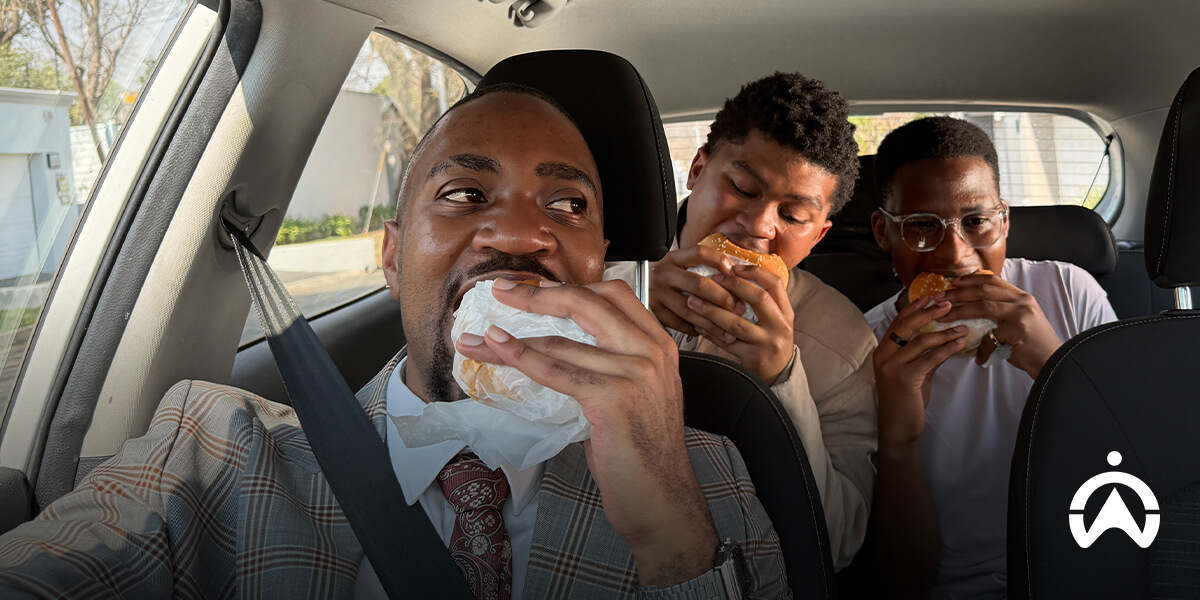
Three people in formal attire enjoying food in a car, with trees and a house visible outside the window.

Different types of dashcams and what they record

It’s important to note that dashcams come in different shapes and setups, and not all of them can record the inside of your car. So before you swipe your card, be sure you’re getting the right one for you. The table below breaks down the main types of dashcams, what they capture, and how much you can expect to pay in Malawi:

Dashcam Type What It Records Inside the Car? Typical Use Case
Front-facing Road ahead No Everyday drivers needing accident evidence
Dual-vision Road ahead & inside cabin Yes E-hailing drivers, parents, business fleets
Rear dashcam Road behind No Extra coverage for parking or rear collisions
360-degree All angles inside & outside Yes Premium option for full coverage and peace of mind

Choosing the right dashcam for you

When choosing the right dashcam for you, you need to consider your driving habits and lifestyle. This will determine which dashcam is best suited for your needs. While some drivers require full coverage with additional features, others only want a basic road-facing camera. You can compare features using the following guide to determine which one best suits your needs.

Feature Why It Matters Who Benefits Most
Interior recording Captures what happens inside the car Parents, Uber/Bolt drivers, fleet owners
Night vision Clear footage in low light or at night Long-distance drivers, city drivers with night shifts
Wide-angle lens Covers more of the road or cabin Anyone wanting fewer blind spots
Audio recording Records conversations and sounds Taxi/e-hailing drivers, security-conscious users
GPS tracking Logs speed and location of trips Businesses, parents, and insurance purposes
Cloud storage Protects footage even if the dashcam is stolen High-crime areas, business fleets
Parking mode Records when the car is parked or unattended Everyday drivers
Ease of installation Saves time and setup hassle Everyday drivers, first-time users
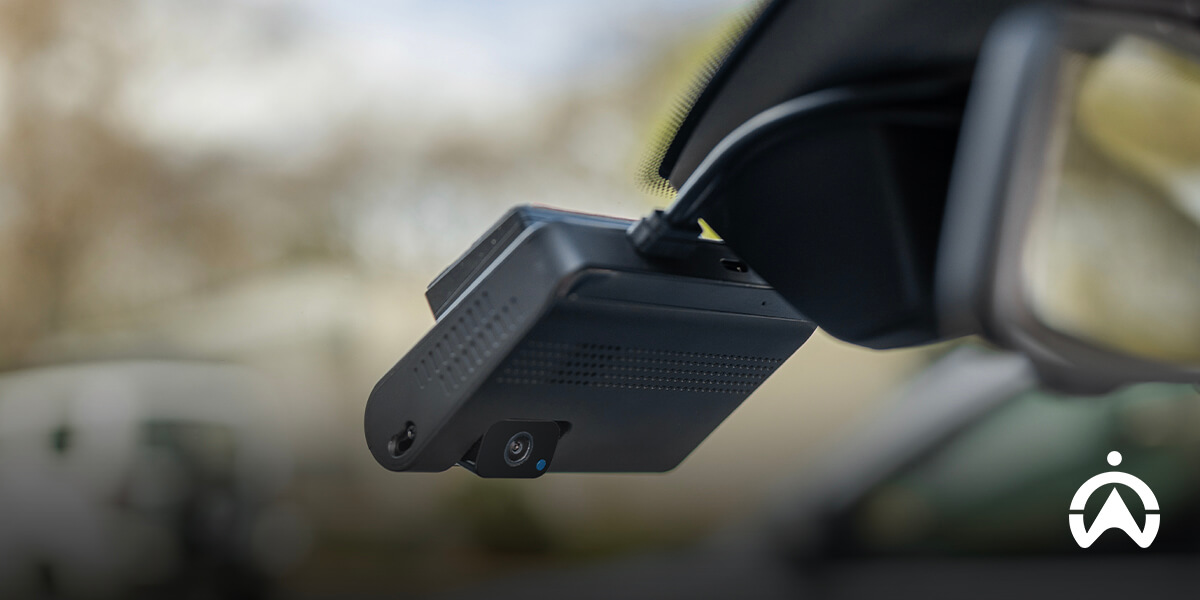
A close-up of a black dashcam mounted on a car's windshield, with a blurred background of trees and vehicles.

How dashcams protect drivers

Dashcams protect drivers from the unique risks associated with roads, which include smash-and-grabs, hijackings, fraud, and accidents. Although a dashcam won’t prevent these incidents, it can provide you with important proof to defend yourself later on, whether for peace of mind, insurance, or police reports.

For example:

  • Disputes can be swiftly resolved with accident footage.
  • Video footage makes it easier to report smash-and-grab incidents.
  • Drivers can defend themselves against false allegations.

Tips for using a dashcam effectively

Choosing the right dashcam is just the first step. You must install and use it properly if you want to get the most out of it. Your dashcam will always function when you need it most if you follow a few simple routines.

  • Make use of a memory card with 64 GB or more of quality.
  • Make sure the camera is positioned correctly to prevent sun glare.
  • Don’t rely solely on the memory card; make a backup of any important clips.
  • Think about hardwiring your dashcam or using an external battery if it has parking mode.
  • Let passengers know that recording is underway.

At Cartrack, we offer premium-quality dashcams at affordable monthly rates, complete with free installation. Contact us today to get the best dashcam solution for personal or business.

FAQs

Do dashcams record sound as well as video?

Yes, many modern dashcams record sound as well as video through built-in microphones. This can be useful if you need proof of what was said during an incident. If you’re not comfortable recording sound, most devices allow you to turn the audio feature off.

Can dashcam footage be used in court or for insurance claims?

Yes, dashcam footage can be used to support insurance claims or even as evidence in court. Clear video clips help settle disputes about who was at fault in an accident. Insurance companies are more likely to process claims quickly when you provide reliable footage showing exactly what happened.

Will a dashcam drain my car battery?

No, a dashcam won’t necessarily drain your car battery, this is because when you’re driving, dashcams usually run on the car’s power supply and use very little energy. However, dashcams with parking mode can continue recording while the engine is off. 

How long is footage stored on a dashcam?

Dashcam footage can be stored anywhere from a few hours to a few months. Dashcams use loop recording, which means old footage is automatically overwritten when the memory card is full. The length of time footage is kept depends on the card size. With a 64GB card, you can usually store several hours before files are replaced, unless you manually save clips.

Do I need a special dashcam for Uber or Bolt driving?

Yes, for Uber or Bolt drivers, an AI dual-lens dashcam is the best choice. It records both the road ahead and the inside of the vehicle, which helps protect you against false claims or disputes with passengers. Some models even include night vision, which is useful for evening and late-night trips.

Why Are Dashcams Critical for School Lift Transport Vehicles?

Dashcams are critical for school lift transport vehicles because they not only keep drivers accountable and alert on the roads, but also watch out for the children who are on board. Children are some of the most vulnerable people on the roads, which makes school transport a higher risk.

As a parent, you trust drivers to transport your children safely every day. As a driver, you face the responsibility and pressure of keeping children safe on the roads. Recent events have highlighted the importance of enhanced safety measures. They have underscored the serious risks that traffic incidents pose to young people, emphasising the urgent need for stronger safety measures.

At Cartrack, we know that your child’s safety is the most precious thing to you. In this blog, we discuss the value of dashcams in school transport vehicles, and why Cartrack’s solutions are the top choice for keeping every school journey safer.

Why are dashcams essential for protecting children during daily trips?

Dashcams are essential for protecting children during daily trips because children are the most vulnerable passengers. Visual evidence of events inside and outside the vehicle ensures that kids are safe at every point of the trip. Recording inside shows the kids buckled up and ideally behaving, while the outside captures drivers interacting with the vehicle and making safe stops.

These dashcams also serve as a strong barrier against dangerous driving or inappropriate behaviour. When drivers know they’re being recorded, they’re probably more likely to stick to the rules and drive responsibly. This makes a safer environment for everyone on board.

As parents, this added visibility offers real comfort and relief. Knowing there’s a reliable record of each journey reassures you that safety is a top priority, not just when incidents occur, but every single day.

What makes school lift transport a high-risk environment?

School lift transport is a high-risk environment because of the unique set of dangers that come with day-to-day multi-stop travel. As a driver, you make many kerbside stops in a single route, and chances are you’re getting caught up in busy suburban roads. You also try to ensure you’re treating your young passengers with extra care.

Let’s look at more of the risk factors:

  • Young passengers with unpredictable behaviour: Children tend to be up and about, forgetting to put on their seatbelts or acting in ways that are unpredictable. For a driver this can be distracting, and potentially ups the risk factor.
    ‍
  • Pressure on drivers to maintain schedules: Pick-ups and drop-offs create very tight schedules, especially when the passengers are children who need to be at school on time. Combine this with peak traffic hours, and there’s a chance that mistakes could be made while on the road.
    ‍
  • Heightened emotional and legal stakes when incidents involve children: As a driver, having the lives of children in your hands can feel like a lot of pressure. As a parent, you put all your faith in drivers and expect clear answers if an incident occurs. This can cause heightened anxieties on both sides.
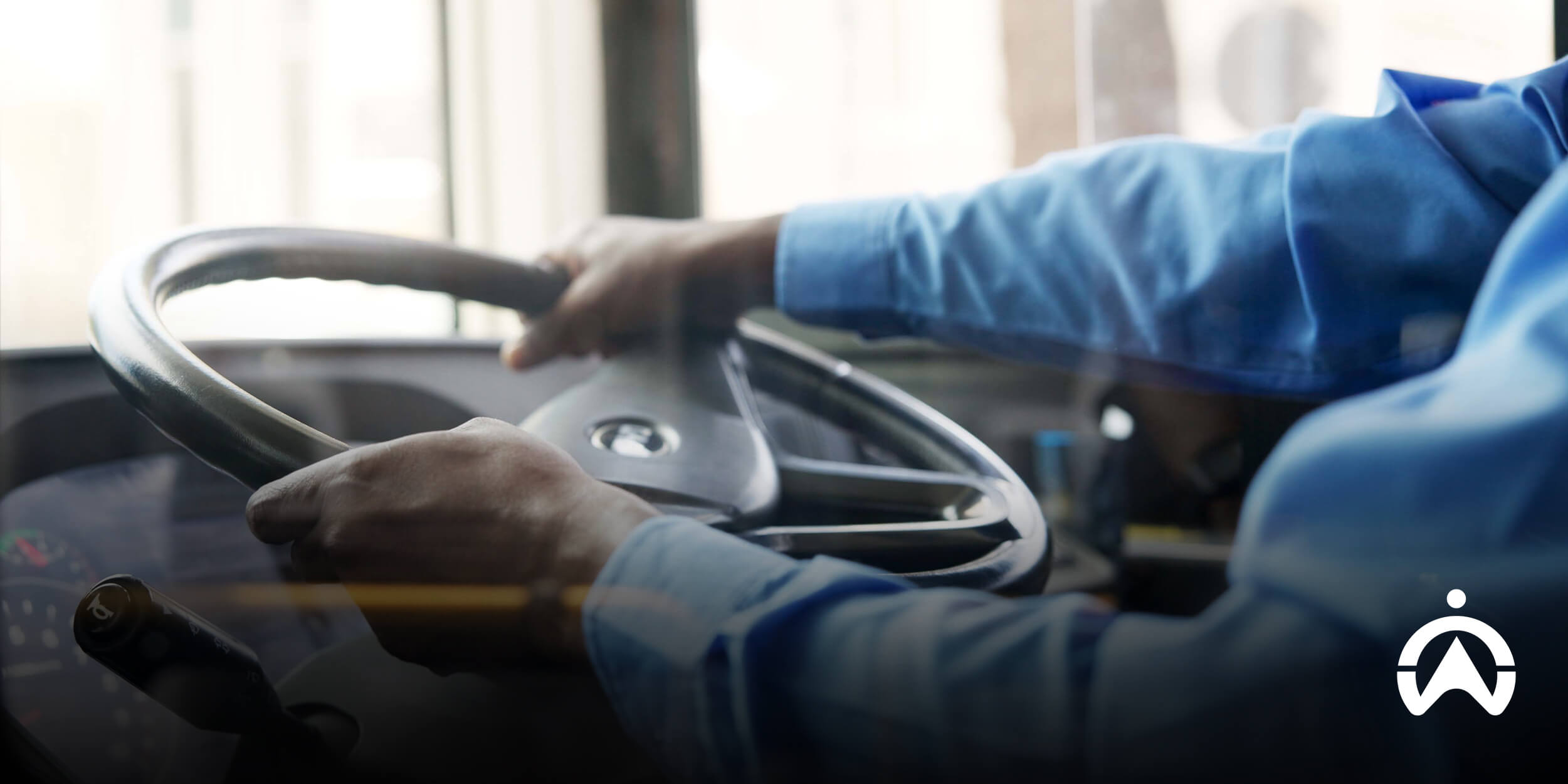
A school lift transport driver in a blue t-shirt holding a bus steering.

Can dashcams help school lift operators meet compliance and duty-of-care expectations?

Yes, dashcams can help school lift operators meet compliance and duty-of-care expectations, which is even more of a reason to push for transport with a monitoring system. As a driver, duty of care is more than just you getting schoolchildren from A to B; it’s about doing so with caution, with safety being at the forefront of one’s mind.

Dashcams support this by keeping footage stored and showing safety measures being enforced. When you wear seatbelts, drive safely, and make the right stops, all of this is recorded. This kind of visibility shows transparency and builds trust between you and parents.

How do AI-powered dashcams improve school lift safety?

AI dashcams improve school lift safety by detecting aggressive driving behaviours, which are flagged as alerts on the management platform.

Here are some of the benefits of introducing AI capabilities:

  • Real-time alerts for risky driving behaviours: Your operator is immediately notified via the management platform when an event is detected (i.e., harsh braking, speeding, etc.).
    ‍
  • Driver coaching opportunities: Because events are captured and recorded, they can be used as teaching moments by management. This helps you as the driver to improve your behaviour on the road.
    ‍
  • Evidence-based decision-making: If management decides to change and improve safety operations, there’s physical, AI-backed evidence that supports those changes.
    ‍
  • Continuous safety improvement: Things change over time, especially from a compliance and regulations perspective. AI can identify trends, helping operators adapt to those changes and move from reactive action to proactive duty-of-care.

How do dashcams protect drivers and operators from false claims?

Dashcams help protect drivers and operators from false claims by providing strong, clear, and objective evidence in the event of an incident. For a driver, having clear evidence means no false claims and smoother processes when it comes to insurance matters or investigations. This gives you the chance to stand by your actions if anyone questions your behaviour.

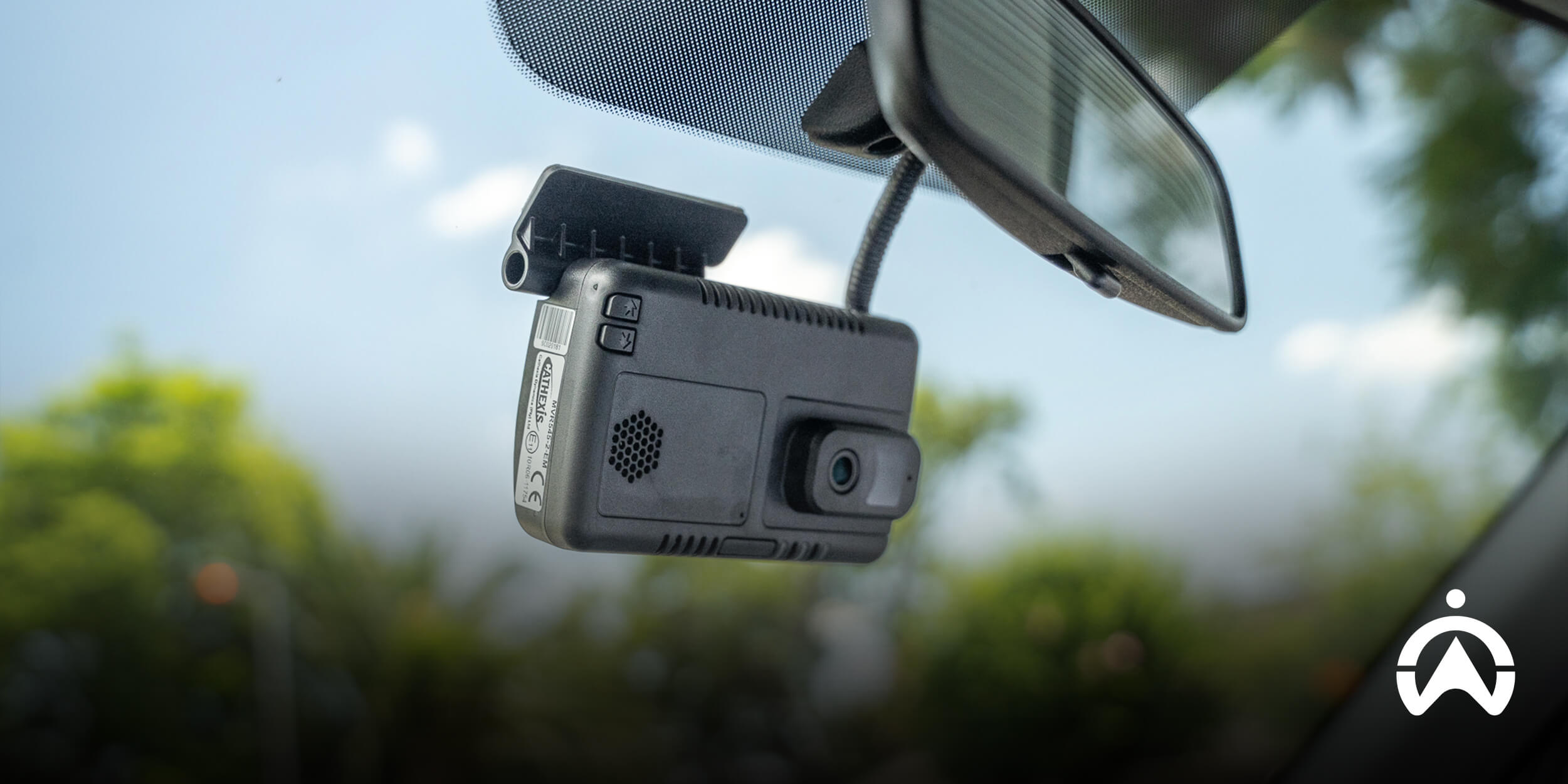
Cartrack dashcam mounted onto a car's windscreen

What should school lift operators look for when choosing a dashcam solution?

School lift operators should look for features like two-angle-facing cameras, easy footage retrieval, and protected data storage when choosing a dashcam solution. As an operator or driver, these tools lean towards the visibility and safety that you’re looking for, beyond just recording. These tools support you in safer driving while reassuring parents and giving them confidence.

Consider the following:

  • In-cab and road-facing footage: Events both inside and outside the vehicle are being recorded, which include pick-ups and drop-offs.
    ‍
  • Tamper detection: Part of maintaining privacy and safety is a dashcam that’s sturdy and tamper-proof, so that unauthorised people don’t get access.
    ‍
  • Secure data storage: Much like the previous point, data and footage that’s stored needs to be safe and encrypted, preferably by industry standards.
    ‍
  • Easy footage retrieval: If a serious incident happens, you’d want to avoid delays when collecting the footage. Retrieval should be straightforward.
    ‍
  • Integration with fleet tracking: This supports better overall visibility, giving clearer views of where the vehicle is at all times.

How Cartrack dashcams support safer school lift operations

Cartrack dashcams support safer school lift operations by offering all the technologies needed to protect drivers and travelling children. It’s important that you, as a driver or as a parent, understand what a trusted and well-informed company like Cartrack can do for schoolchildren’s travel safety. Our dashcams are there to make protecting children that much easier.

Keeping kids safe can’t stop at simply having good intentions. Safety calls for complete visibility, and the power to act fast when something seems off. We also provide both inward- and outward-facing camera options to encourage safer driving, ensure proper pick-up and drop-off procedures, and clarify any complaints or concerns.

With AI-powered detection, dangerous driving can be spotted early and nipped in the bud. Our dashcams also connect with fleet management data, giving a fuller picture of each journey. Finally, when incidents happen, secure access to footage will allow for quick and responsible reviews. This promotes fair investigations, protects everyone involved, and helps maintain trust with parents and schools.

Final takeaway: Why dashcams are no longer optional for school lift transport

Whether you’re a parent or a school transport operator, it’s clear that dashcams are no longer an option for lift transports. You understand that it’s not just about trusting each other; it’s about recognising how technology can minimise risks and foster a stronger, transparent relationship.

By supporting the adoption of dashcams, you’re supporting proactive safety strategies and accountability. Parents enjoy greater peace of mind. Drivers benefit from clearer expectations and fair protection. For school transport overall, we can begin to see a true embracing of prevention, care, and shared responsibility.

Every child deserves a safer journey to school. Speak to a professional and learn how Cartrack’s technology can help improve oversight and accountability in school transport.

FAQs

Are dashcams an invasion of children’s privacy?

No, dashcams are not an invasion of children’s privacy when footage is handled with care. Dashcams are for protecting children, not for spying on them. It’s generally important to establish clear guidelines with the school, children, and parents. Additionally, keep privacy in check by choosing Cartrack, because we follow strict privacy and protection policies.

Why are parents demanding more visibility into school transport?

Parents are demanding more visibility into school transport because there’s been an uptick of tragic events taking place in recent years. Dashcams bring that level of visibility and assurance, guaranteeing that video evidence will be available if an incident occurs. The presence of a dashcam also encourages drivers to behave more responsibly.

Why is accountability so important in school lift transport?

Accountability is so important in lift transport because it ensures everybody’s safety. Children are precious passengers on these trips, so the school and drivers need to be as transparent as possible. Rules should always be followed, complaints should be taken seriously, and investigations should be followed through.

What can school lift drivers do right now to improve safety?

Right now, school lift drivers can practise safe driving, stick to the rules of the road, and be a good example for the kids (wearing seatbelts and showing vigilance) to improve safety. To add extra layers of protection, drivers can do quick pre-trip inspections and steer clear of overloading, ensuring their vehicles stay in top shape.

Can a Dashcam Get Hacked Into?

Theoretically, yes, a dashcam can get hacked into, but there are safety measures that you can take to ensure your dashcam is secure from any security breaches. In recent years dashcams have quickly become essential in fleet management, providing video evidence, monitoring driver behaviour, and protecting against false claims.

While they bring operational advantages, they can also introduce potential cybersecurity vulnerabilities. Like any device that collects, sends, or stores data, they’re not immune to hacking.

According to Auto Connected Car, incidents of cybersecurity breaches in the automotive and mobility sector jumped from 295 in 2023 to 409 in 2024, with the number of vehicles affected skyrocketing from 5% to 19%.

It’s only natural to question whether dashcams, as connected devices, are at risk when connected cars face such intense targeting. That’s why many businesses trust fleet partners like Cartrack, whose connected dashcams offer advanced security, real-time visibility, and dependable local support.

Can dashcams actually be hacked?

Although rare, yes, your dashcam can be hacked, just like any other connected device. This is especially true when they’re connected to an unsecured internet or cloud service. Hackers can tap into stored files, GPS data, and video feeds by exploiting weak passwords, outdated firmware, or vulnerable networks. To stay safe, you need solid cybersecurity measures in place.

Here’s how it can happen:

  • Weak or unchanged passwords: Leaving default passwords in place makes your device an easy target.
  • Unsecured Wi-Fi networks: Open or public connections can expose the data stream from your dashcam.
  • Compromised mobile apps: Attackers exploit security flaws in poorly designed dashcam apps.
  • Outdated firmware: Failing to update your device regularly can allow known vulnerabilities to be exploited.

Think of it like leaving your office door unlocked. Although most people wouldn’t just walk in, there’s still a risk.

What’s at risk if a dashcam is hacked?

Your entire fleet’s operational security is at risk if a dashcam is hacked. When dashcams get compromised, it’s not just the video footage at stake. Cybercriminals can access GPS data and vehicle routes as well, which puts your drivers’ privacy and safety at risk. It can place your entire company at a security risk.

Here’s what could go wrong:

  • Data exposure: GPS data, timestamps, and video could reveal your routes, delivery schedules, and client locations.
  • Network breach: Hackers might access other systems through a dashcam connected to your main company network.
  • Compliance issues: Exposed video could lead to privacy and data protection violations under POPIA or GDPR.
  • Loss of money and reputation: Data breaches or outages can drain your time, finances, and trust.
  • Vulnerability: Thieves now know where you are and what is in the vehicle increasing the risk of hijacking, theft of goods, and vehicle theft.

Common dashcam security risks and what they mean for your fleet

There are four common dashcam security risks that can cause your fleet to be compromised. Outdated software, weak passwords, and unsecured networks pose the biggest risks to fleet cybersecurity. Below, you’ll find a brief overview of the key dashcam security threats and what they could mean for your drivers, vehicles, and business.

Risk Category What It Means for the Business Example Scenario
Data exposure Footage, GPS, timestamps accessible by unauthorised parties A competitor sees route patterns or client drop-offs
Network intrusion Dashcam acts as an entry point into your fleet systems A driver’s dashcam interface is used to access other telematics or back-office systems
Regulatory/Compliance Breach Data protection laws triggered by leaked footage or driver info A driver’s personal image is exposed and triggers Malawi’s data protection and privacy law investigations.
Operational disruption Device malfunction or attacks result in downtime or loss of monitoring Dashcams go offline because of a firmware attack, reducing fleet oversight

Signs your dashcam might have been compromised

There are a few signs that your dashcam might have been compromised. You can keep your fleet safe from major operational and data risks by spotting the warning signs of a hacked dashcam. Cyberattacks often hide in plain sight, but a few red flags can signal something’s not quite right.

  1. ‍Unusual activity or footage: Look out for strange recordings, missing clips, or videos that seem out of sync—these could all point to tampering.
    ‍
  2. ‍Unexpected settings changes: If you notice changes in permissions or configurations without your say-so, that could mean unauthorised access.
    ‍
  3. ‍Connectivity issues: Frequent disconnections or failed uploads might suggest network interference.
    ‍
  4. ‍Storage anomalies: Files appearing out of nowhere or rapidly diminishing storage space could signal malware or remote access issues.
    ‍
  5. ‍Increased data usage: A sudden spike in data transfer could indicate someone’s remotely streaming or downloading footage.
    ‍
  6. ‍System performance problems: Slow response times, constant reboots, or odd glitches might be signs of malicious interference.

If you notice any of these red flags, unplug the dashcam from its network, update all access credentials, and get in touch with your provider straight away. With secure tech and quick support from reliable partners like Cartrack, we can swiftly identify and contain potential breaches—keeping your operations safe and sound.

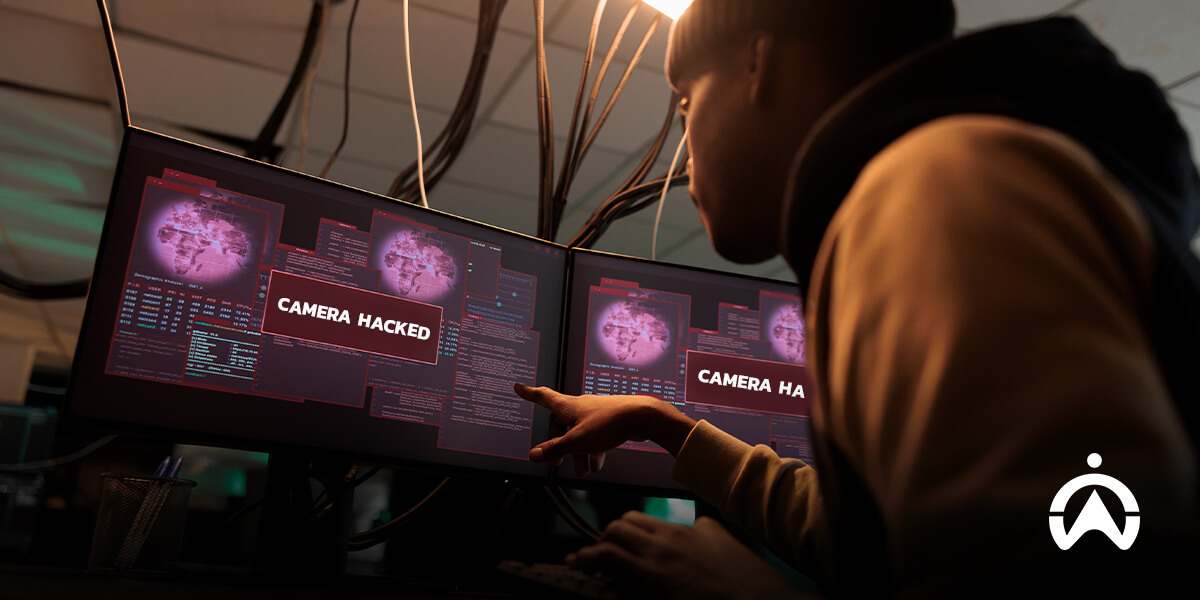
Cartrack system alert showing a dashcam hack warning on dual monitors with data streams and a world map.

How to prevent dashcam hacking in your fleet

You can prevent dashcam hacking by having strong cybersecurity habits. Fleet managers need to ensure all passwords are complex and unique, that they utilise secure networks, and also that they regularly update firmware. To safeguard connected devices across your fleet, team up with a trustworthy telematics provider like Cartrack.

Choose reputable providers

Team up with well-known telematics firms like Cartrack, who have solid cybersecurity measures in place. Make sure they adhere to rigorous data protection and encryption guidelines. Seek out providers with clear security policies and accessible local customer support.

Keep firmware and software updated

Check in with your dashcam provider for any updates. These updates tackle security flaws and fix bugs. To keep things secure, schedule monthly maintenance.

Use secure passwords and multi-factor authentication.

Change those default passwords immediately. Use long, complex combinations of letters, numbers, and symbols. If two-factor authentication is an option, activate it.

Protect your network

Avoid connecting dashcams to public Wi-Fi. For data transfers, stick to secure networks or VPNs. Stay vigilant for any unusual login activity.

Choose reliable cloud storage

Ensure your provider encrypts all video files. Limit access to saved videos. For added security, implement role-based permissions.

Train your drivers and staff

Teach drivers the basics of cybersecurity. Motivate everyone to report alerts or suspicious activity. Make data protection a daily part of fleet operations.

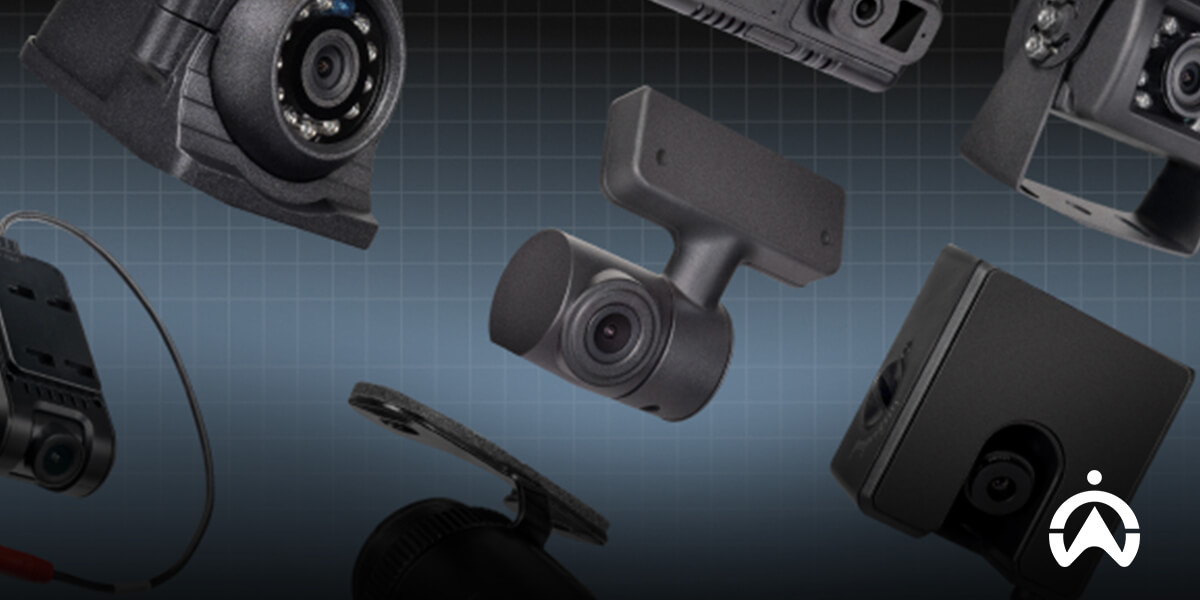
Cartrack dashcam hack visual showing different dashcam models on a grid background.

Building a culture of cyber awareness in your fleet

Build a culture of cyber awareness to safeguard your fleet. Your team (not just your tech) is your first line of defence in cybersecurity. If your staff doesn’t grasp basic digital safety, even the most advanced dashcam systems can’t keep your fleet safe.

Regular training sessions and workshops can help embed these habits naturally. When employees understand the “why” behind data protection, they’re more likely to take ownership. You can also draft simple internal policies or quick reference guides to help teams stay consistent.

With a cyber-aware company culture, every employee becomes a line of defence. This empowers your team and strengthens your fleet against potential hacking attempts and data breaches, boosting your company’s security and resilience.

Why choosing the right dashcam supplier matters

Choosing the right dashcam supplier goes beyond just getting high-quality footage; it’s crucial for ensuring your data stays safe throughout the journey. A trustworthy partner like Cartrack safeguards your fleet’s information at every step with local data hosting, automated software updates, and secure, encrypted networks.

Cartrack’s dashcam solutions offer you full visibility, control, and peace of mind by effortlessly integrating with its fleet management system. Enjoy a secure operation without any added stress, thanks to round-the-clock local support.

FAQs

How long do dashcams store footage before it’s overwritten?

Dashcams can store footage for a few days to several weeks before it’s overwritten, depending on the storage capacity and resolution settings. When the RAM is full, it automatically overwrites older files. To make sure you don’t lose important footage, turn on manual file saving or set up cloud backup.

Can dashcam footage be used as legal evidence in Malawi?

Yes, dashcam footage can be used as legal evidence in court cases, binsurance claims, and investigations in Malawi. It provides unaltered, time-stamped proof of events, helping to clarify responsibility or blame. The video footage must be legally recorded and safely stored to avoid tampering in order to be admissible.

What’s the difference between a front-facing and dual-channel dashcam?

The main difference between a front-facing and a dual-channel dashcam is the area monitored. A dual-channel dashcam captures both front and rear views, whereas a front-facing dashcam just shows the road ahead. Dual-channel models are ideal for commercial and fleet use, providing enhanced protection by monitoring driver behaviour and surrounding traffic.

Do dashcams drain a vehicle’s battery?

No, dashcams typically won’t drain your vehicle’s battery and will use minimal power while you’re on the move. Most models feature standby or low-power modes to conserve energy when parked. You can easily prevent long-term battery drain with the right setup and installation.

How often should I service or check my dashcams?

You should service or check your fleet dashcams at least once a month to ensure they are recording, uploading, and updating properly. Regular checks ensure that the footage is high-quality, help you find problems early, and keep the firmware up to date for the best security and performance.

What Is the Best Software to View Dashcam Footage?

The best software to view dashcam footage are the ones that allow fleet managers to efficiently access, search, and extract video content to resolve claims faster and more effectively compared to those with complex systems. Dashcams are no longer optional for Malawian fleets—they’re a frontline defence against rising insurance costs and liability risks.

It’s been reported in Munich that fleets using in-cab video report 15-25% fewer fraudulent insurance claims, and nearly half report reduced insurance costs. This is why the dashcam viewing software you choose represents a key operational choice that influences everything. From incident handling to driver training efficiency, insurance negotiations, and regulatory compliance.

No matter which software you use, the goal stays the same. Your team needs quick, reliable access to dashcam footage. With clear evidence, you can resolve claims faster and turn video into actionable insights.

Which software works best for viewing dashcam footage?

The software that works best for viewing dashcam footage will depend on fleet size, operational requirements, and compliance needs. This means that there’s no single “best” dashcam software. What works for a local courier company running three vans would probably be completely different from what a nationwide logistics operator would require.

Desktop players from the manufacturer might be sufficient for smaller fleets. They’re easy to use, free, and compatible with their hardware. However, these basic tools lose their effectiveness as fleets expand and the number of incidents and reviews rises. Cloud-based video telematics systems that enable numerous users to safely view, search, and distribute video at scale are essential for large operations.

The real test of the “best” software is:

  • How fast your team can access important video footage
  • How safely evidence can be shared
  • How well insights can be used for compliance, claims, and driver management

Why does the right dashcam viewer matter for your business?

The right dashcam viewer matters because it helps your business resolve incidents quickly, cut costs, improve driver safety, andStay compliant with Malawi’s data protection regulations, such as the Electronic Transactions and Cyber Security Act (2016). The dashcam hardware itself is literally only half of the story. Without effective and efficient viewing software, even the best video quality may be ineffective.

The right dashcam viewer will impact four critical business areas:

Speed of resolution

Quickly finding video evidence helps you solve problems faster and keep your operations running smoothly. If you’re moving goods or passengers, delays can disrupt schedules and damage public trust. Advanced viewing software with user-friendly search tools saves time by letting you skip through long recordings easily.

Evidence quality

It’s important to note that video evidence is only useful if it’s defensible. Whether or not the police or insurers will accept footage depends on metadata like GPS overlays, timecodes, and speed readings. Solutions like Cartrack’s AI dashcams are able to capture multiple angles with embedded metadata, ensuring reliable evidence for claims and disputes.

Operational use

Dashcam footage serves multiple functions beyond insurance claims because it helps in driver training, route analysis and preventing accidents. According to Cartrack’s Reducing Driver Negligence for Safer Fleets report, managers gain access to continuous footage. This enables them to detect dangerous driver patterns before accidents occur.

Scale and costs

The viewing software you choose affects how much storage and data you’ll need, as well as the costs for more users as your fleet grows. A simple desktop tool might work fine for a few vehicles, but a large fleet will need advanced systems to upload, share and store video securely.

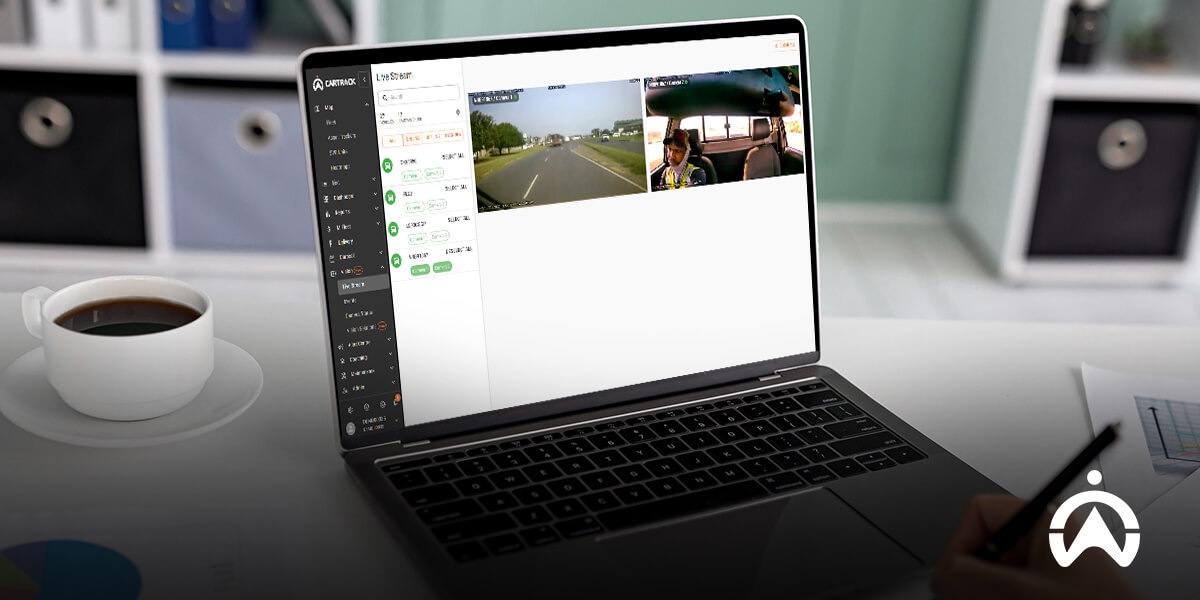
Cartrack dashcam footage on laptop showing live traffic and vehicle interior with coffee cup nearby.

Types of dashcam viewing software

The various types of dashcam viewing software are:

  • Manufacturer desktop players
  • Universal desktop players
  • Mobile apps
  • Cloud video telematics platforms.

There’s no shortage of tools available to view dashcam footage. Businesses, however, do face a difficult choice when selecting the right software because they need to match their fleet requirements with the appropriate solution.

Understanding the main categories allows fleet managers to make better decisions. Here’s a deeper dive into the types of dashcam viewing software to help you make an informed decision.

Manufacturer desktop players

  • ‍What they are: Free programs provided by the dashcam manufacturers, designed specifically for their cameras only.
  • ‍Pros: Includes easy setup, high compatibility with their own devices, and metadata retention (GPS, timestamps). This is perfect for fleets that are smaller and have simple needs.
  • ‍Cons: It has limited features for enterprise environments. Typically, they don’t have scalable storage options, cloud sync, or role-based access.

These tools are usually suitable for startups with a small fleet of cars. However, reliance on free software becomes constrictive as operational demands rise.

Universal desktop viewers

  • ‍What they are: Multi-format players that can handle footage from various cameras, like Dashcam Viewer or VLC.
  • ‍Pros: Usually inexpensive and brand-neutral. These are beneficial for companies with sporadic incident reviews or mixed hardware.
  • ‍Cons: Fleet-focused features like user management, automated uploads, and telematics system integration are rarely included in these viewers.

Although they are useful technical tools, universal players don’t facilitate effective evidence workflows on a large scale.

Mobile apps

  • ‍What they are: Applications for smartphones or tablets that are made by third-party developers or camera manufacturers.
  • ‍Pros: They’re convenient for supervisors on the go, provide instant access in the field, and allow speedy clip sharing with the police or insurers.
  • ‍Cons: Mobile devices are not suitable for in-depth, multi-channel playback, and small screen sizes make detailed reviews challenging.

It’s better to think of mobile apps as an additional tool rather than a stand-alone fix.

Cloud video telematics platforms

  • ‍What they are: Cloud-based, centralised systems that integrate telematics information with dashcam footage.
  • ‍Pros: Searchability, full scalability, and sophisticated features like:
    • AI detection
    • Automated uploads
    • Event tagging
    • Fleet management system integration

      These platforms make it possible for numerous users in different places to view safe, substantiated video.

  • ‍Cons: Subscription-based, with recurring fees and management requirements for bandwidth and storage.

Cartrack’s AI-powered cameras fall into this category, offering up to eight camera channels, automatic uploads, and event-based alerts. Best for growing fleets, this approach supports not just evidence capture but also long-term operational efficiency.

Key features to evaluate in dashcam viewing software

It’s important to note that the features in the dashcam viewing software will vary in functional importance. Your ideal choice should align with fleet scale, regulatory requirements, and the intended operational use of captured video footage. Consider these essential evaluation specifications:

Essential for business use

  • File format and codec compatibility: The program must support the most common dashcam formats while preserving the integrity of the original video.
    ‍
  • Multi-channel and synchronised playback: To fully comprehend the context of incidents, it’s essential to be able to view the front, rear, and in-cabin channels simultaneously.
    ‍
  • Timecode and GPS overlay: Precise timestamps, speed measurements, and synchronised maps bolster the evidence for authorities and insurers.
    ‍
  • Event markers and timeline: Managers can locate the appropriate clip in a matter of minutes thanks to features like collision flags or harsh braking.
    ‍
  • Export and chain of custody: Features that prevent tampering, checksum/MD5 validation, and lossless export guarantee can be used in investigations.
    ‍
  • User management and audit logs: Keep track of all activity and manage who can view, download, and access files.

Cartrack’s platform addresses these essentials, offering synchronised playback across multiple cameras and automated event tagging.

Vital for scaling and enterprise operations

  • Automated upload: Data obstacles are avoided by bandwidth-controlled Wi-Fi or cellular transfers.
    ‍
  • Integration and API support: Dashcam footage needs to easily integrate with fleet telematics platforms, ticketing systems, and insurance workflows.
    ‍
  • Retention management: Policy-driven archiving and deletion lowers storage expenses while guaranteeing compliance with regulations.
    ‍
  • Advanced search and analytics: Operational teams can save a significant amount of review time by filtering according to time, GPS zone, or event type.

Security and privacy

Privacy is a non-negotiable consideration in Malawi due to the Electronic Transactions and Cyber Security Act (2016).

  • Encryption: It’s critical to use both at-rest and in-transit encryption.
    ‍
  • Masking tools: By blurring faces or license plates, users can preserve their privacy before sharing.
    ‍
  • Controls for consent and retention: Makes sure that video footage is processed legally and kept for the purposes for which it was created.

Operational features and user experience

  • Variable playback speed and frame-by-frame analysis: essential for deciphering intricate details in complicated incidents.
    ‍
  • Case folders and bookmarks: Useful when creating a file around a claim or disciplinary investigation.
    ‍
  • Batch processing and bulk export: When several clips are needed, this will expedite insurer requests.
    ‍
  • Offline access: Local caching allows review in areas with poor connectivity.
    ‍
  • Support and SLAs: Enterprise users require assured technical support, escalation routes, and response times.

Businesses should weigh the overall user experience against technical features when assessing platforms. Steep learning curves in complex systems can cause more delays than they end up fixing.

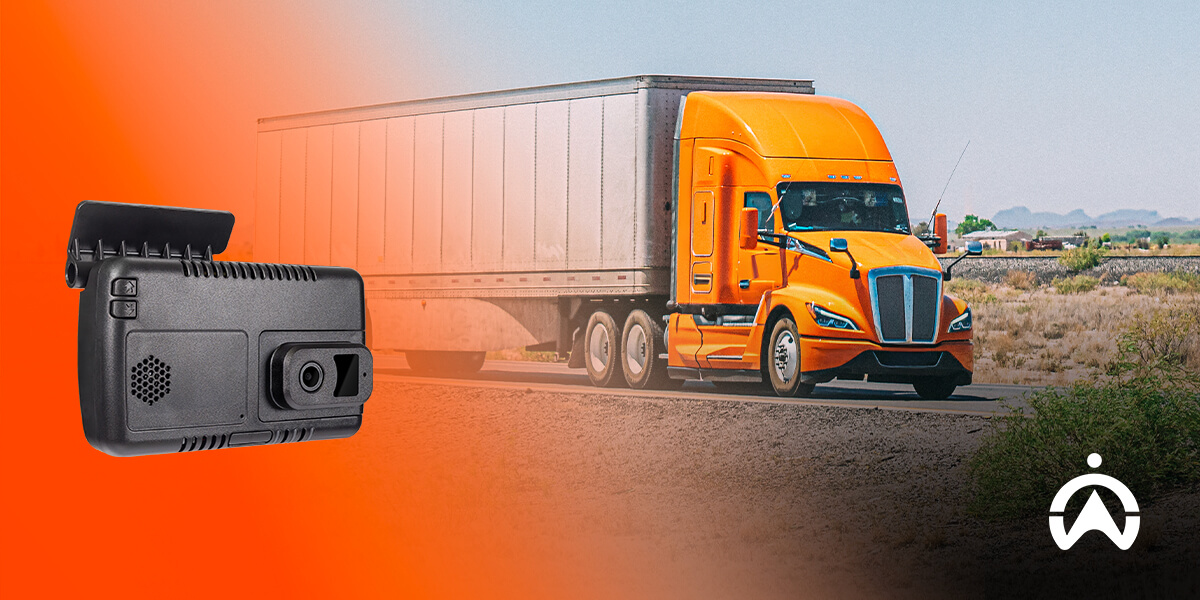
Cartrack dashcam footage shown with dashboard camera and orange semi-truck on highway.

How to choose the right dashcam software for your fleet

To choose the right dashcam software for your fleet, your decision should focus on solutions that fulfil your business requirements rather than selecting the tool with the most features. The operational value decreases when video footage exists without an efficient method to find relevant clips for review and sharing.

Fleets achieve their maximum ROI by focusing solely on recordings that provide unambiguous evidence. Why? This approach reduces claim expenses and accelerates insurance processes. 

The table below compares the main software categories available to businesses today.

Category Best for Strengths Limitations Business use case
Manufacturer player Small fleets / single make Reliable metadata, free Not enterprise-ready Basic playback for small operators, simple claims evidence
Universal desktop (VLC, Dashcam Viewer) Tech teams, one-off reviews Flexible, inexpensive Limited fleet features Occasional reviews, IT support teams handling mixed devices
Cloud video telematics (SaaS) Large fleets / 24/7 ops Scalable, integrations, automated uploads Bandwith possilby Ongoing driver monitoring, incident response, and insurer integration
Forensic editors Legal / investigations Chain of custody, enhancement Specialist, costly Detailed evidence preparation for litigation or complex claims
Mobile apps Roadside or supervisors Quick access and sharing Limited analysis Immediate incident checks, on-the-go footage sharing

For more insights into cloud-based video telematics, check out What Is Video Telematics.

Security, privacy and compliance (ETCSA of 2016)

Dashcams capture more than just road conditions—they often record personal information such as driver faces, licence plates, and passenger details. In Malawi, this data falls under the Electronic Transactions and Cyber Security Act (2016). The Act requires that personal data be collected lawfully, processed only for its intended purpose, and stored securely.

For businesses, this means adopting strict procedures for handling video evidence. According to the Malawi Communications Regulatory Authority (MACRA), organisations must follow rules on consent, purpose limitation, and retention. Non-compliance can expose fleets to legal and financial risk, as well as reputational damage.

Practical controls for fleets include:

  • Restrict access: Only authorised personnel should be able to view or share footage.
    ‍
  • Redact before sharing: Blur faces and number plates where possible, especially when clips are provided externally.
    ‍
  • Encrypted storage: Protect files both locally and in the cloud with encryption.
    ‍
  • Maintain audit records: Keep a clear log of who accessed, downloaded, or distributed footage.
    ‍
  • Apply retention rules: Delete footage once it’s no longer required for its original purpose, such as defending a claim.

By applying these measures, businesses can remain compliant while still gaining value from their dashcam data. Cartrack’s AI-powered platform supports this process with secure storage, controlled access, and redaction tools. Helping fleets protect both their operations and their data obligations under (ETCSA of 2016).

Cost considerations and ROI

While the price often drives dashcam software decisions, smart fleet managers should look beyond initial expense to calculate future value and savings. The investment frequently pays for itself. Well-implemented video telematics delivers measurable returns such as:

  • reduced insurance premiums
  • improved vehicle uptime
  • decreased legal disputes
  • accident claims that hit the budget with less impact and frequency

Consider implementing a 6–12 month pilot programme to gather concrete evidence. By tracking metrics such as:

  • claim costs
  • premium adjustments
  • incident response efficiency

Both pre- and post-implementation, organisations can establish meaningful benchmarks for evaluating the true long-term ROI.

Typical cost elements:

  • Upfront: purchase, installation, and any one-time license fees for hardware
  • Ongoing: cellular data, cloud storage, software subscriptions, and technical assistance.
  • People: employee time for managing compliance, reviewing video, and addressing claims.

Boost Fleet Safety and Cut Costs with Cartrack’s AI Dashcams

Turn your dashcam footage into real savings. Get Cartrack’s AI-powered video telematics platform today and resolve incidents faster, cut insurance costs, and stay POPIA compliant. Book a demo today!

FAQs

How long should we retain footage?

Retention policies depend on operational and legal needs. Under POPIA, footage can’t be stored longer than required for its intended purpose. Many businesses keep routine footage for 30 to 90 days, retaining only incident-related video for extended periods to support claims, investigations or regulatory compliance requirements.

Is cloud better than local storage?

Cloud storage is generally better for medium to large fleets because it allows remote access, centralised management and automatic uploads from vehicles. Local storage may suit smaller operators but becomes difficult at scale due to limited access, a higher manual workload and greater risks if hard drives are damaged or stolen.

How do we share footage securely with insurers or police?

Footage should be shared through secure platforms that provide audit logs, role-based access and tamper-proof export features. Redaction tools are also important for protecting personal data, such as faces or licence plates. Cartrack’s system allows businesses to deliver reliable, compliant evidence to insurers or authorities while safeguarding privacy.